Skip Windows 10 login
Command “netplwiz” could help to open user account settings dialog that is
not shown in Control Panel.
not shown in Control Panel.
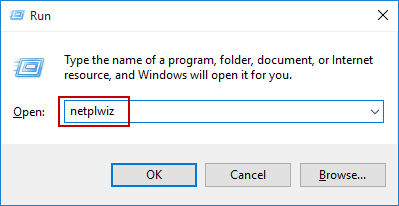
1. Press Win + R to open
Run box, and enter “netplwiz“. Click OK to
open User Accounts dialog.
2. Uncheck “User must enter a user name and password to
use the computer”.
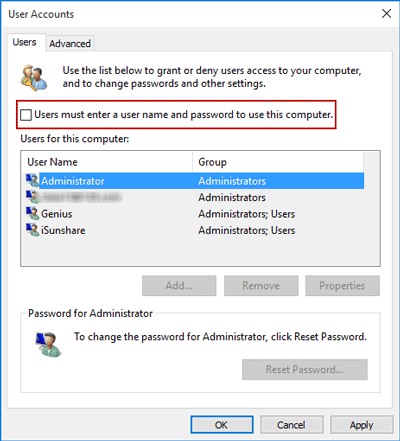
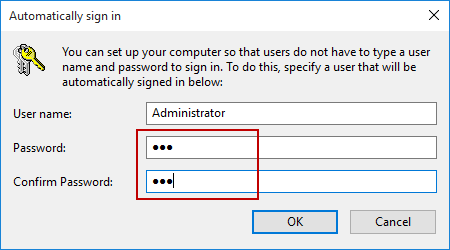
3. Click Apply and if there is pop-up
dialog, please confirm the user account and enter its password. The
specified user will be used to automatically sign in Windows 10.
Restart computer and it will bypass windows 10 login screen and
automatically login with user account you enter password for.